Introduction
Pre-1.0: Jant is still early. Expect rough edges, breaking changes, and docs that keep moving while the product settles.
Jant is open source under AGPL-3.0-or-later. Source code is hosted on GitHub; report problems in Issues.
Jant is a Tumblr-style blog for one author. It sits between a traditional blog and social media: posting feels as light as a status update, and what you post stays yours, the way a blog does. It has three basic formats, Note, Link, and Quote, and posts can be connected into Threads or grouped into Collections.
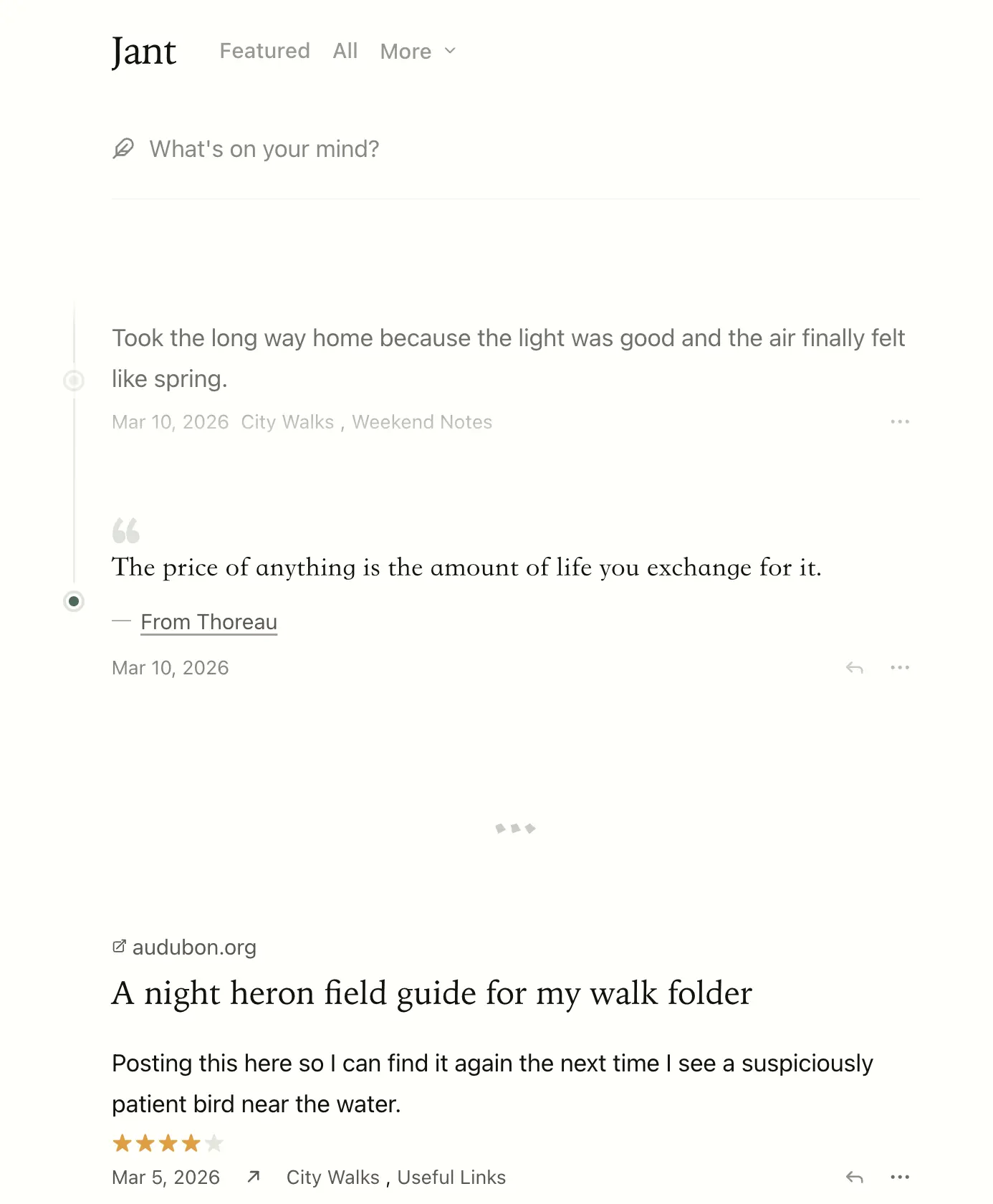
Live demo: demo.jant.me. Click Sign in under the More menu to try it; the demo credentials are pre-filled, and the data resets daily.
You can also look at the author's own blog as a real-world example: www.owenyoung.com.
Why Jant exists
I've always believed that practicing writing means writing in public, because that's what forces a thought to become clear. But today's internet seems to give people only two identities: consumer or creator. All I wanted was a cozy little garden of my own.
A traditional blog really is yours, but every time you sit down to write, it feels like publishing an article. Before Jant I blogged with a static site generator. Markdown is a format that actually lasts, and a hundred years from now the plainest text editor will still open it, but publishing takes too many steps: new file, pick a name, write the front matter, write the body, commit, push, then wait for the deploy before you can see it. So whenever I had good articles to share, I'd save up several before posting once.
Social media is the opposite: you can post whatever comes to mind, but speaking to everyone at once is a pressure in itself. A blog's RSS feed works the same way. If every post goes out to subscribers, is a link, a quote, or a photo taken on the way home worth interrupting a few hundred people for? Most of the time the answer is no, so the post either never gets written or gets put off indefinitely.
Nothing on the market sat between the two, so I built one.
Publishing is not broadcasting
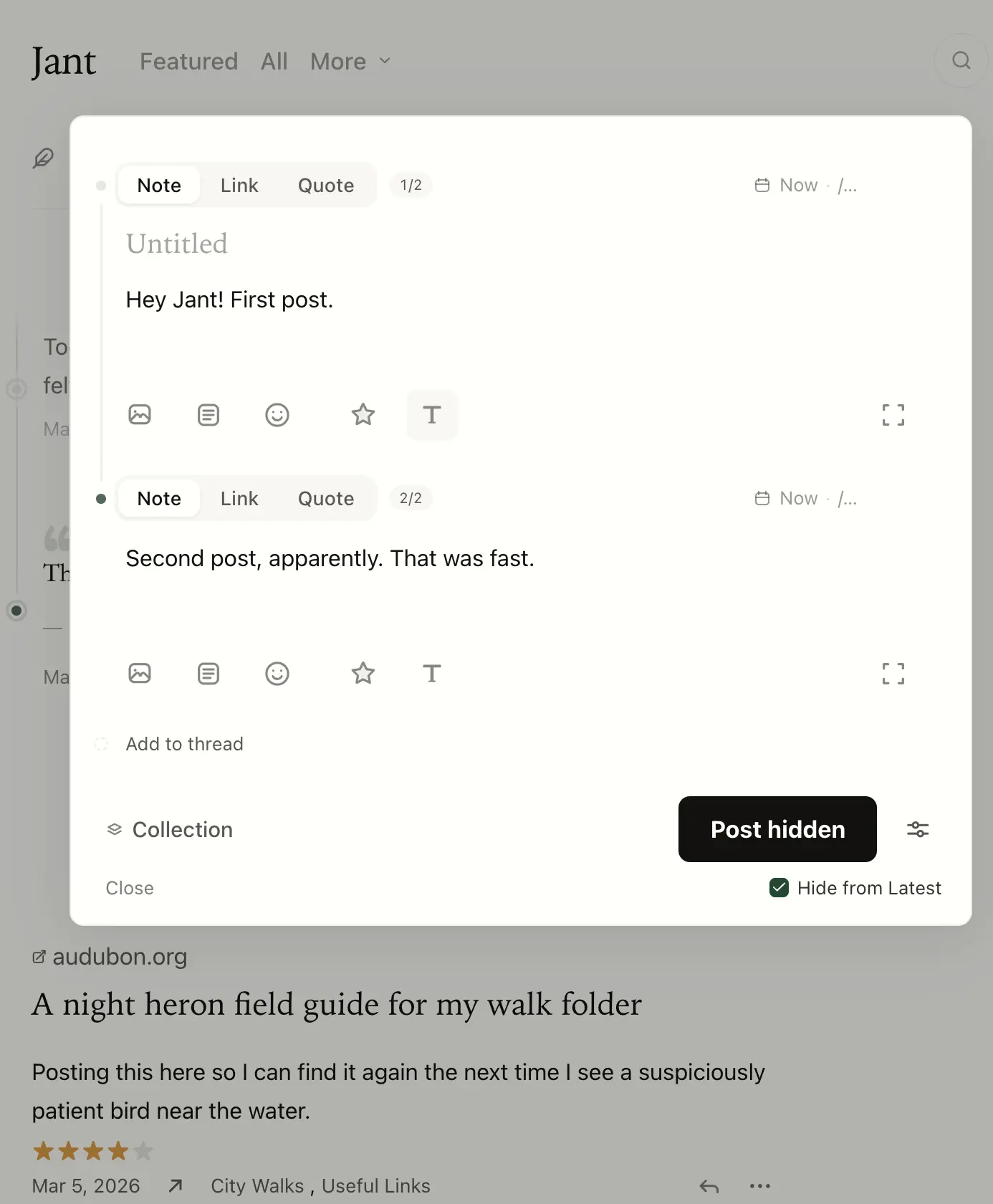
A post in Jant has three levels of visibility, and Latest is the default:
- Latest (default): appears in the homepage timeline, for people who come to look.
Hidden from Latest: off the homepage, but the link is still public, and the post still shows up in/archiveand in any Collection it belongs to.- Featured: also appears on
/featuredand goes out to RSS subscribers through/feed.
The way I use it: everyday notes go to Hidden from Latest, collected in a Collection called Now; only what I actually want subscribers to read gets marked Featured. Without that option, I probably wouldn't post a lot of it.
About the name
Jant comes from Jantelagen, a concept from a 1933 Nordic satirical novel, often summarized as "don't show off, don't compare." In Scandinavia the term carries a critical edge, often invoked as shorthand for a collective culture that suppresses individuality. Some happiness researchers read it the other way around: a quiet agreement not to compete or intrude on each other is part of what makes Nordic societies feel calm, and one of the reasons people there report being so content. I've always liked the word. It felt right for something that's meant to be quiet.
Today's social networks do the opposite, and create two pressures:
- One comes from watching others: constant performance and comparison, which feeds anxiety.
- The other comes from being watched: every post is force-pushed to all your followers, until the weight of it kills the urge to say anything at all.
Jant does neither: no followers, no likes, no algorithmic feed.
If you're still on the fence about whether to start a blog, this essay might give you a reason.
The writing experience
A traditional blog usually hands you a form for managing content: title, body, category, tags, excerpt, SEO, cover image. Jant borrows the more ergonomic Tumblr / Twitter interface instead: you post from the homepage, the title is optional, and Reply extends a post into a Thread, so you can keep working on it afterwards.
Link and Quote are first-class formats, not variants of an article. More than half of what I post is links and quotes; Tumblr worked out over a decade ago that making them native formats gets people posting more often, and blog systems since have barely followed. Images, video, and audio too: I posted more of them in one month on Jant than in the whole year before.
Long posts, a few sentences, links, and quotes share one timeline, and over time they add up to a fuller context about you.
The common moves have keyboard shortcuts: n opens a new post from any page (l for a link, q for a quote), Cmd + K searches; on a post page, e edits, f features, c changes Collections. The body is a Markdown editor; type / for commands.
What Jant has
- Three formats: Note, Link, Quote
- Threads: a continuous train of thought can keep going, with no need to pad it into an essay
- Collections: curated by topic, closer to a bookshelf than to tags
- Media attachments: images, video, audio, Markdown, documents, code snippets
- Ratings: rate books, films, podcasts, and articles
- Featured / Latest split: publishing is not the same as broadcasting
- Multilingual: a post can have a version in each language, and each language has its own home page
- Search, archive page, RSS
- Built-in themes, font themes, custom CSS
- Bidirectional GitHub Sync: every edit in Jant commits as Markdown to your GitHub repo, and edits made on GitHub flow back to the site. The repo itself is a complete Hugo site you can
hugo buildindependently, and it doubles as a backup of your writing; media files stay in your storage, so back them up as well. See GitHub Sync. - API and MCP: automate publishing, imports, and maintenance, or hand them to AI agents
- Hugo static site export: you can leave with your content anytime
What's next
- Getting started: get a Jant blog running
- Writing and organizing: how to use Note / Link / Quote, Threads, and Collections
- GitHub Sync: sync your content to a GitHub repo